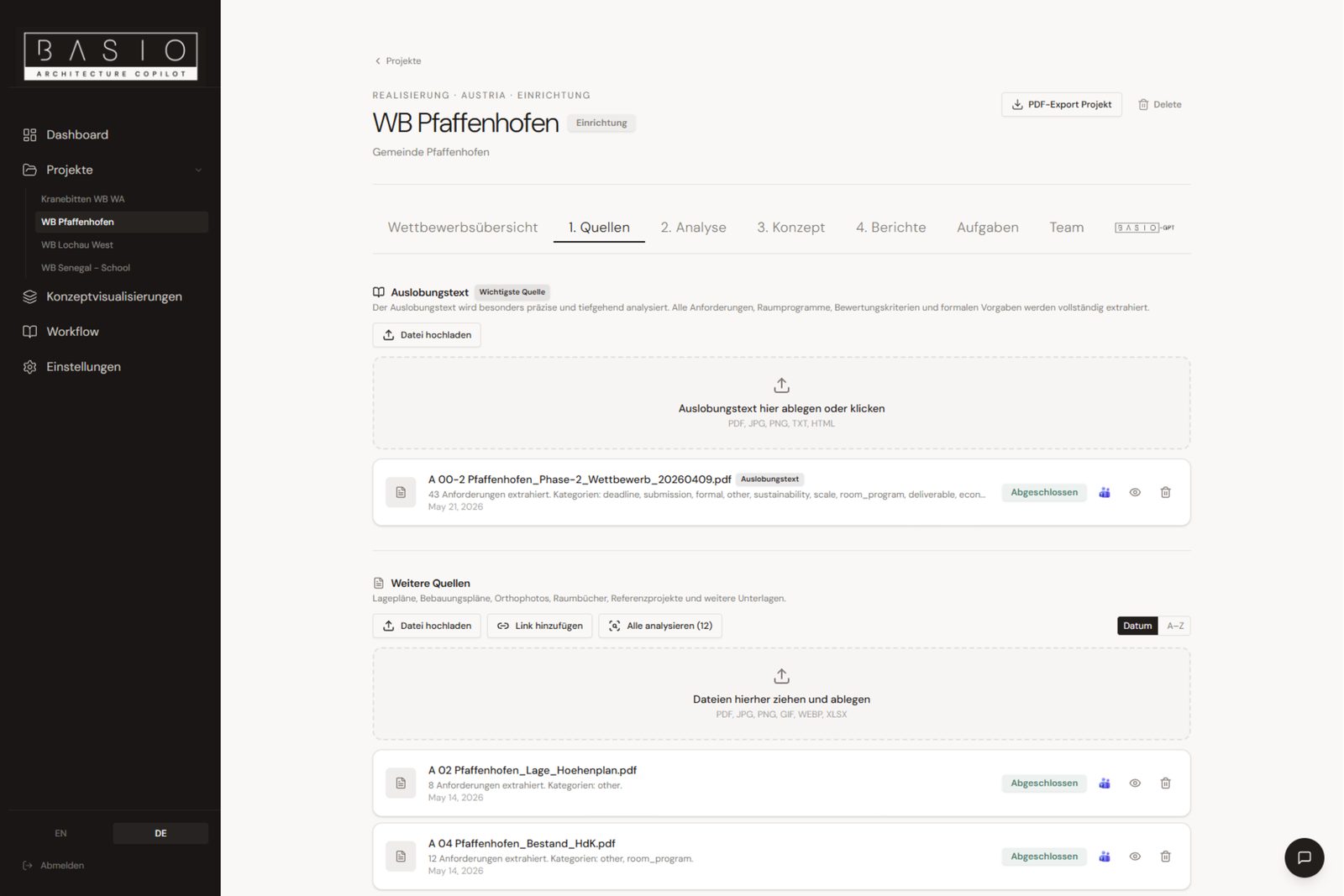

SourcesScreenshot
01Source Library
Brief, plans, PDFs and images bundled centrally — searchable and ready whenever you need them. No more scattered folders and email attachments.
All documents in one place.
The AI copilot for architecture competitions. From the brief to a concept base — in hours instead of days.
Up to 0% of time goes into analysis and structuring
— not into architecture.

Information gets searched and checked repeatedly.

Important content gets lost along the way.

Design only starts after a long onboarding phase.
BASIO doesn't replace architecture.
It creates the structured foundation for it.
BASIO handles the groundwork — the architect makes every design decision.
By architects, for architects.
Developed from practice, for a clearly structured competition workflow.
All the tools that structure your competition kickoff — in one calm interface.
 Upload sources
Competition brief, plans, PDFs and images in one place — BASIO reads the documents and detects site, address and building plots automatically.
 Analysis
 Concept
 Export reports
4 PDFs at the push of a button:
The foundation is set — now the real creative work begins.
You design, BASIO has prepared the ground.
 Visualizations
Generate initial images from concept ideas or your own prompts — with reference plans and images for targeted results. Mark favorites and export them directly for your competition boards.
 BASIO-GPT
The project-aware AI chat knows every document you've uploaded. Ask questions and clarify connections without scrolling through hundreds of pages yourself.
BASIO reads deadlines straight from the brief and writes them where your office already works. Meetings and tasks sort themselves.
 Microsoft Teams
 Microsoft Outlook

Submission, query deadlines and colloquiums automatically in your Outlook calendar.

Dates prioritized, owners assigned — nothing slips through.

Teams notification for deadlines, changes and new tasks.

Dates extracted directly from the competition documents.
Don't miss out? Join the waitlist
Brief, plans, PDFs and images bundled centrally — searchable and ready whenever you need them. No more scattered folders and email attachments.
All documents in one place.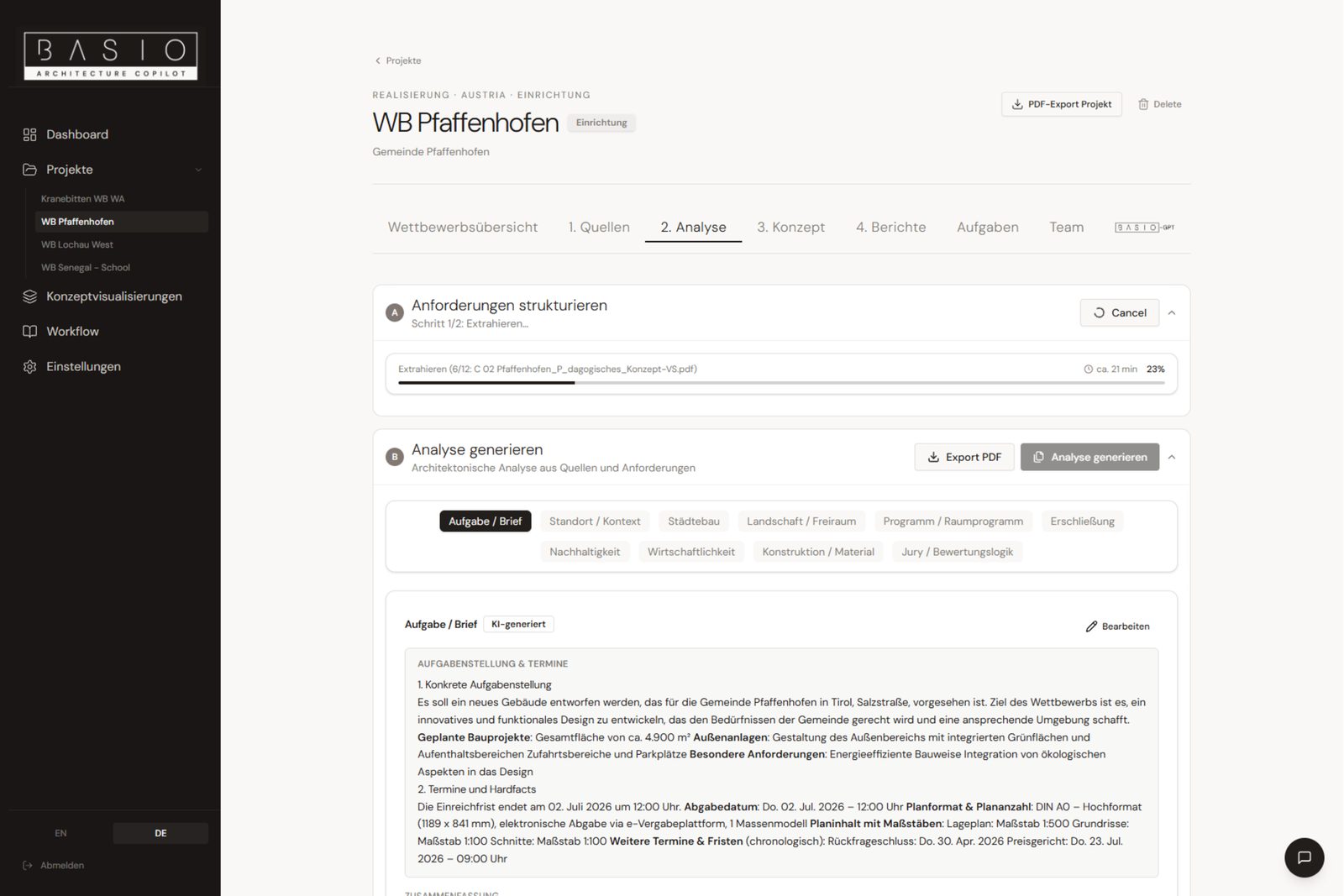

Check the site and legal situation, structure requirements and generate an architectural analysis across 11 topics — traceable and exportable at any time.
Site, requirements, analysis.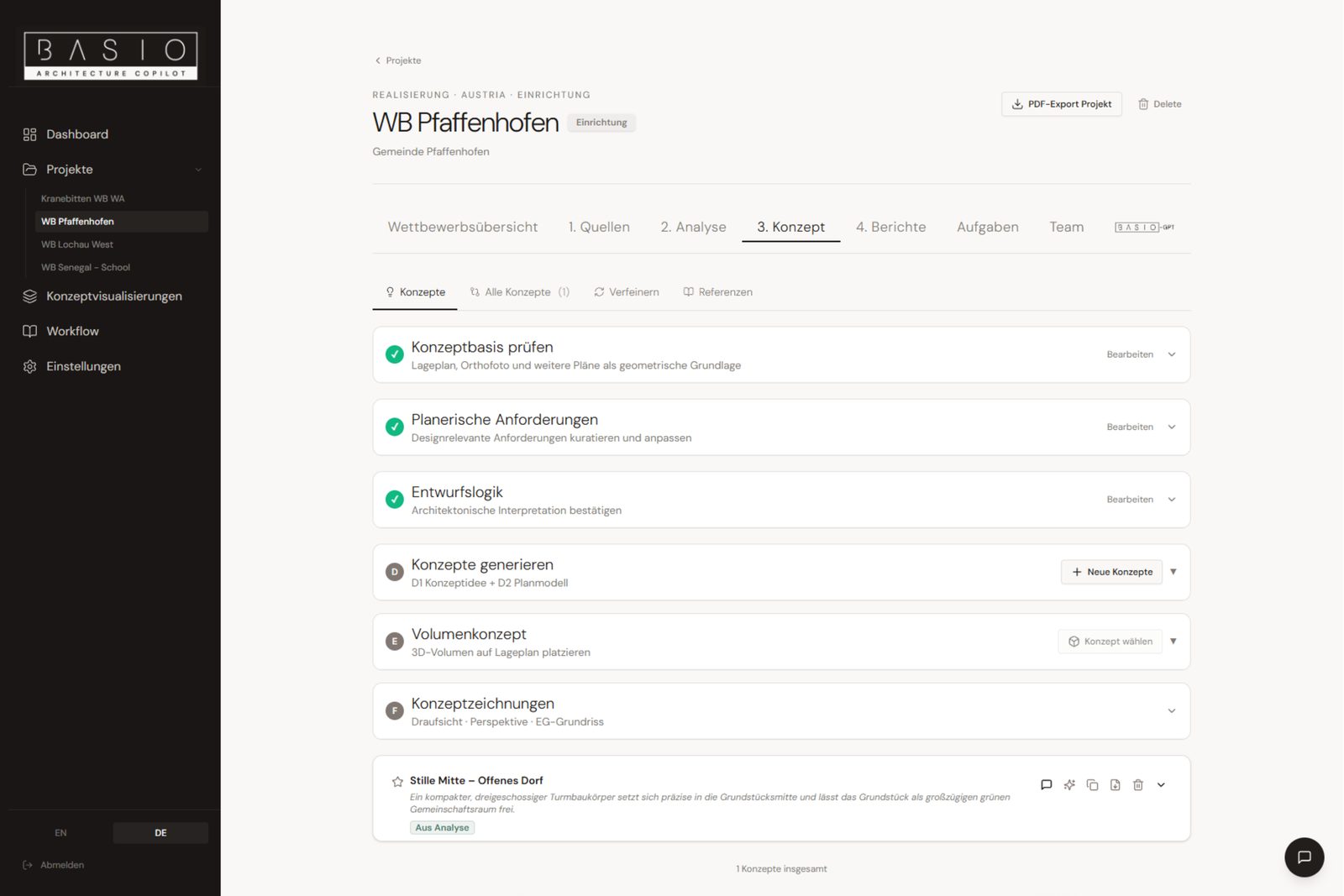
Choose a concept direction, generate 3D volume on the site plan and produce first drawings — a solid starting point for the actual design.
Direction, volume, drawings.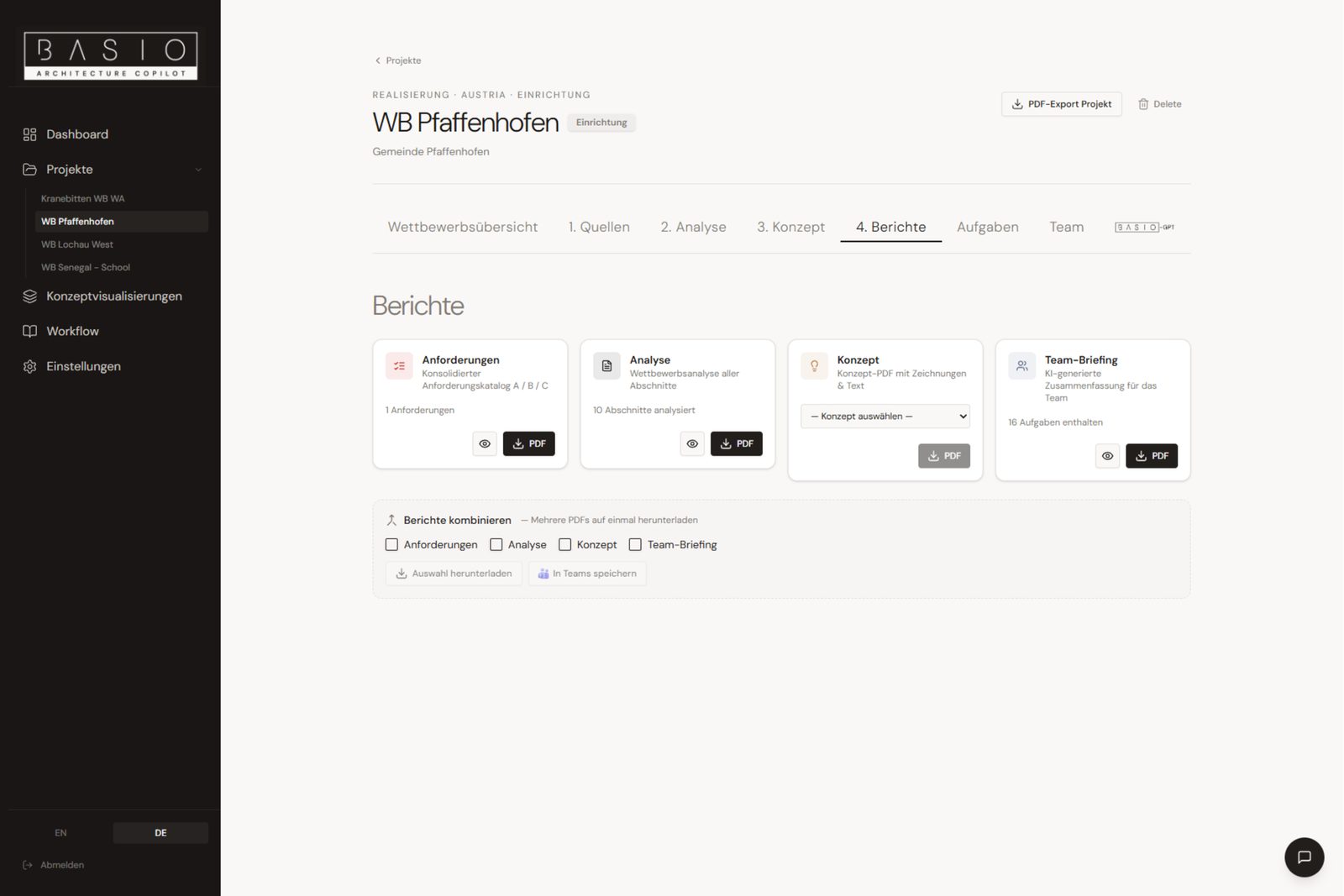

Requirements, analysis, concept and team briefing in minutes as clean PDFs — ready for your team and client.
In minutes, not hours.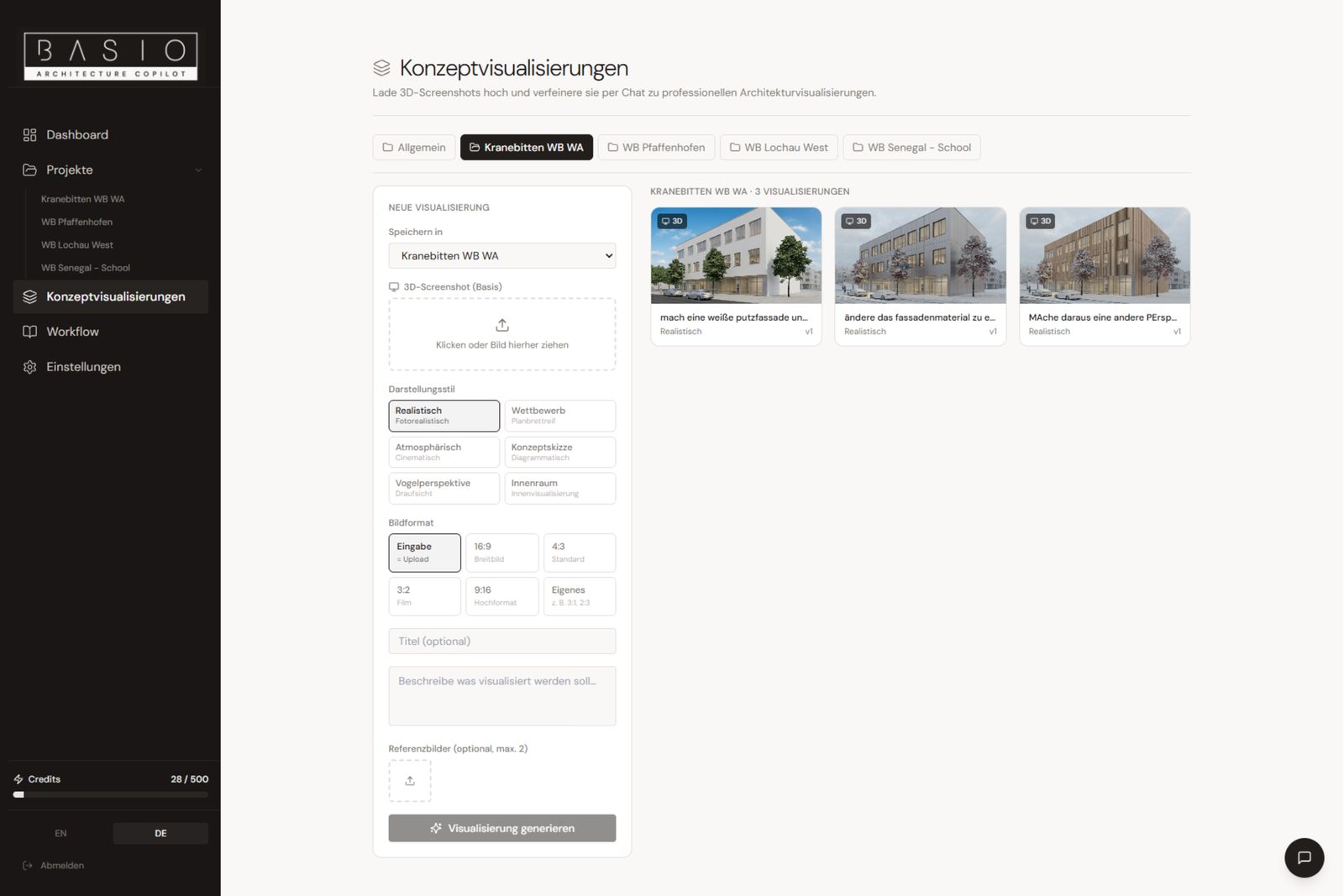

Generate initial concept visualizations directly within the process — quick image ideas for spatial approaches, without interrupting your design flow.
From idea to image.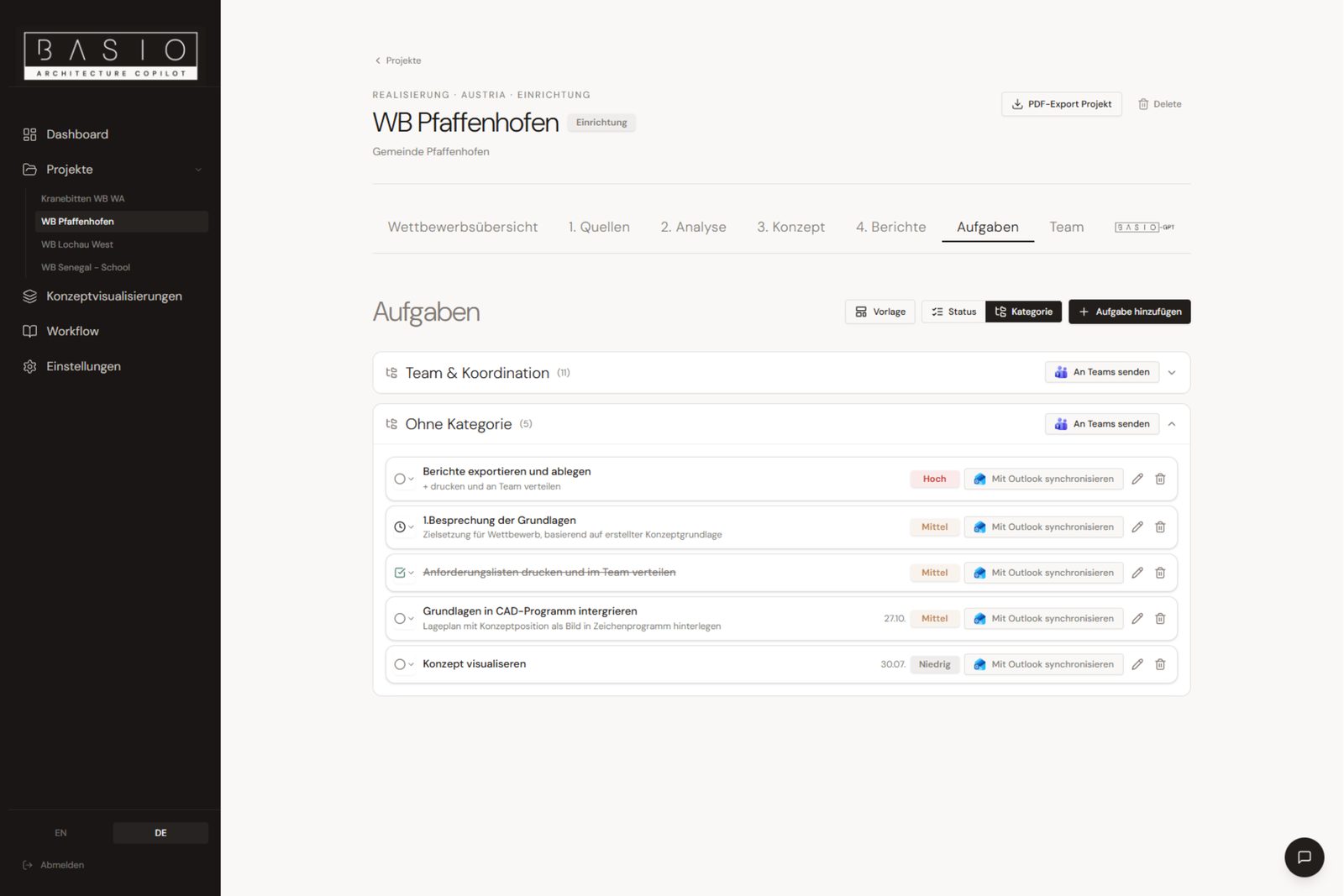

Connect your Microsoft account once in the settings — after that, sync deadlines, meetings and tasks to Outlook or Teams with a single click.
Connect once, sync with a click.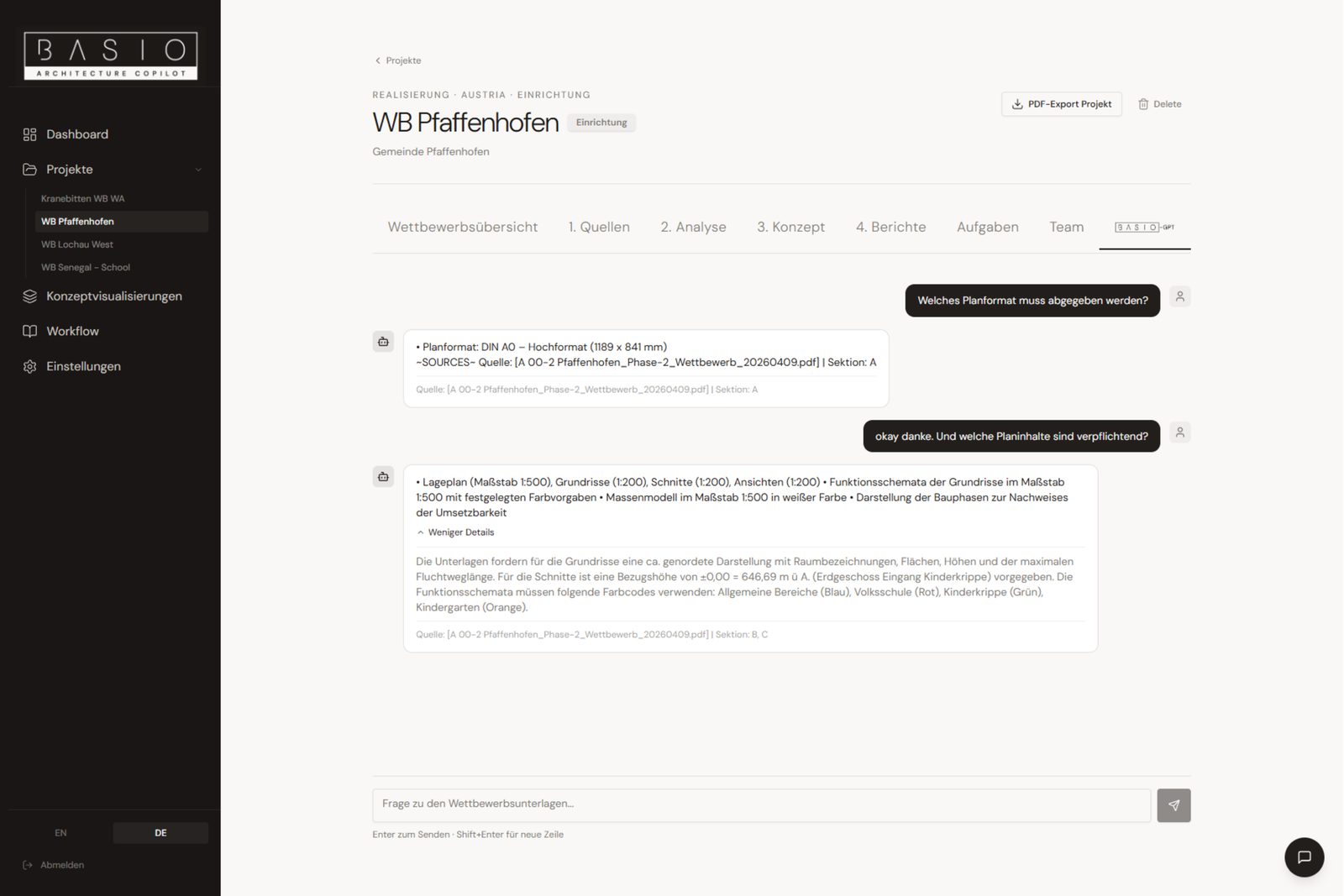

Query your documents directly in conversation and understand content faster — the assistant knows your project and answers precisely.
Ask instead of search.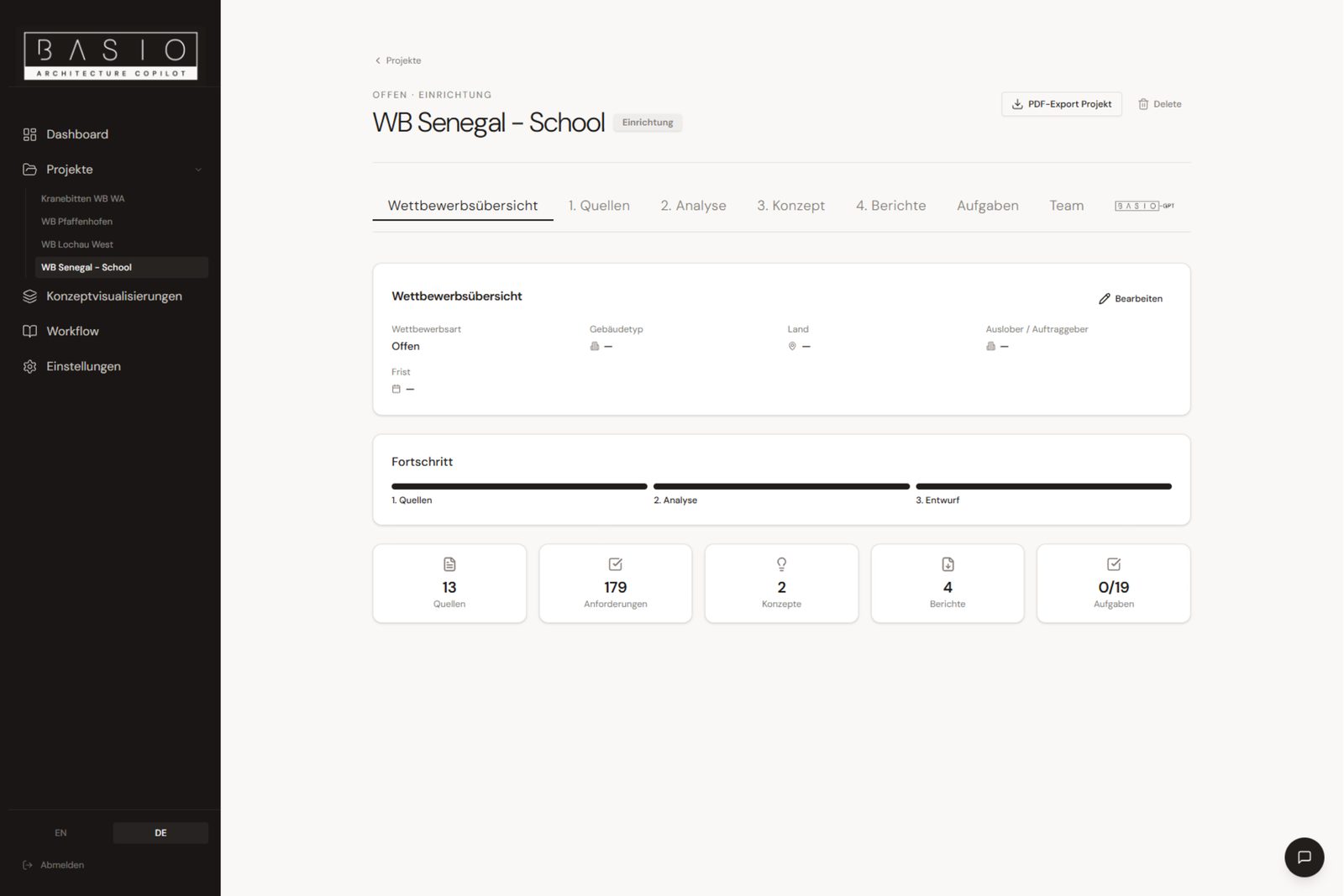

All the key figures of a competition at a glance: sources, requirements, concepts, reports and tasks — with progress across every phase.
One status for the whole team.The test access opens a read-only view of several fully completed example projects — the whole app with every step to look at, with limited chat. This gives you a realistic impression of BASIO, with no commitment.
Available with a subscription or pass of your own.
Sign up now and be among the first to get access at launch.
After you submit, you'll receive an email with a confirmation link (double opt-in). Your spot on the waitlist is only secured once you click it. At launch, you'll receive your personal code for the discounted launch access: it is meant for you only, can be redeemed once, and is valid for six months from launch.
Almost there: please confirm your email address using the link in the confirmation email. Your spot on the waitlist is only secured after that.
Book a slot for a free 1:1 call — or write to us via the contact form, we'll get back to you.
20 minutes, no obligation: we'll show you BASIO on a real competition and answer your questions.
Something went wrong — please try again or write directly to info@basio.at.

Start your next competition with structure instead of loops.
Test access